Is the new release slower? Find out before it goes live.
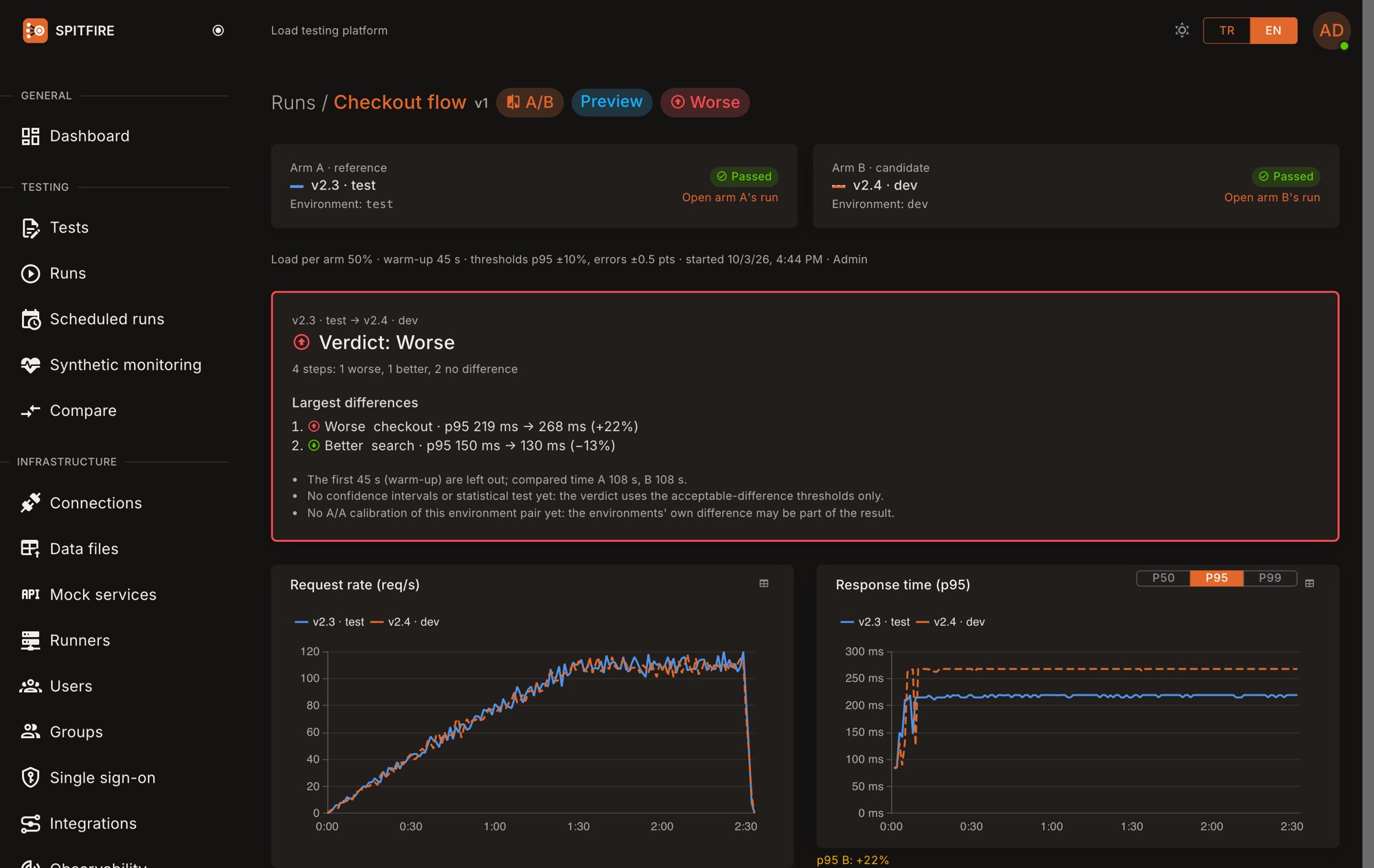
Run the same test, with the same load, at the same time, against the environment running the old release and the one running the new release. Every runner splits its load evenly between the two, so network and timing differences do not skew the result. At the end Spitfire shows the difference step by step and says it plainly: better, no difference, or worse.
Version comparison is in preview: it works, and details may change.
When to use it
Before a release
The new release runs next to the old one under the same load before it goes live.
An infrastructure change
A new database version or a new server type: the old and the new infrastructure meet the same test.
A library or framework upgrade
See where performance goes when the framework, the ORM or the runtime version changes.
A configuration change
Connection pool size or a cache setting: measure the change instead of guessing.
How it works
- STEP 1
Pick the environments
From the test's Environments tab pick the one running the old release as A and the one running the new release as B, and write the version labels.
- STEP 2
One run, both at once
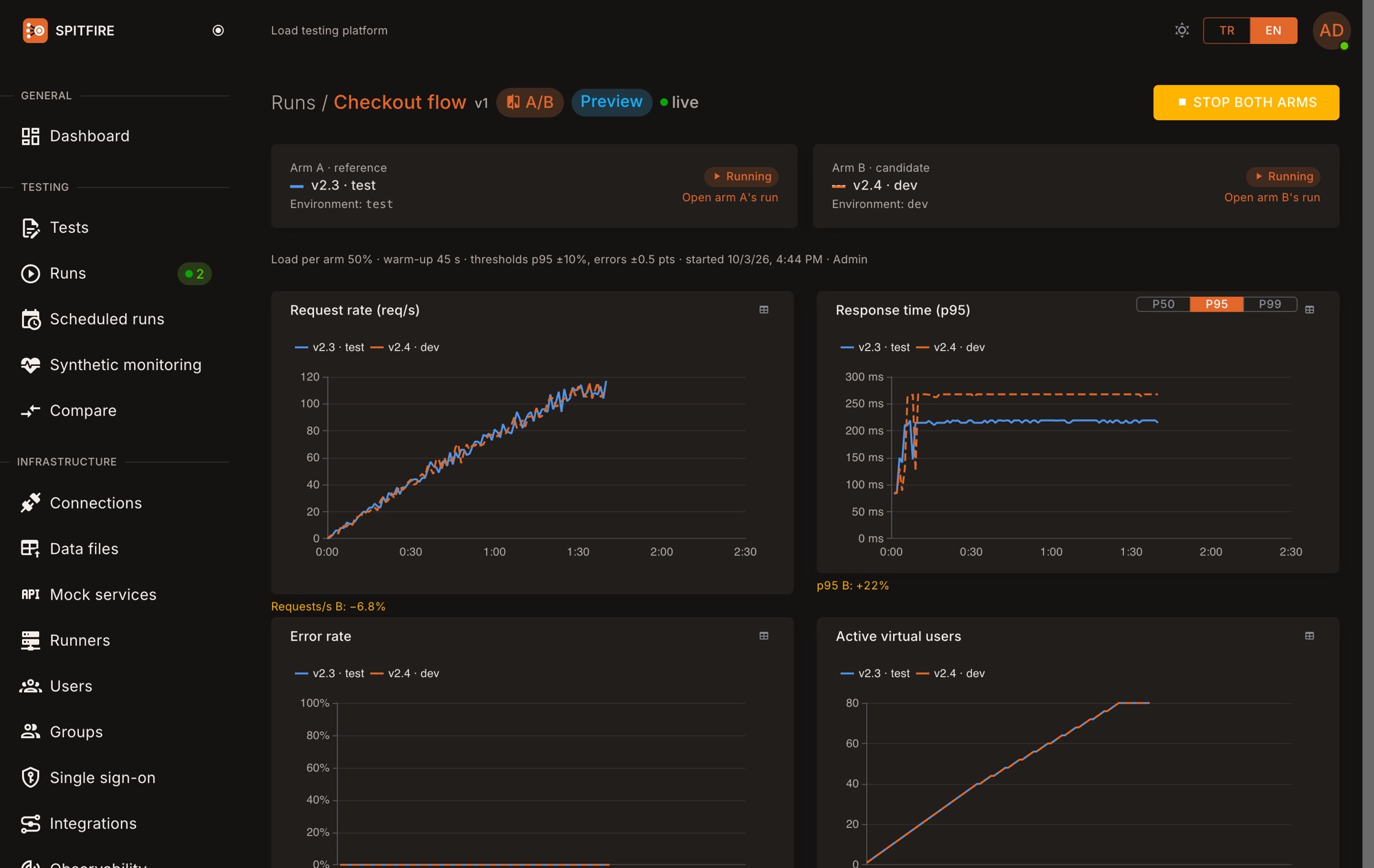
The same test runs against both environments at the same time with the same load; the live screen shows both arms side by side.
- STEP 3
Verdict
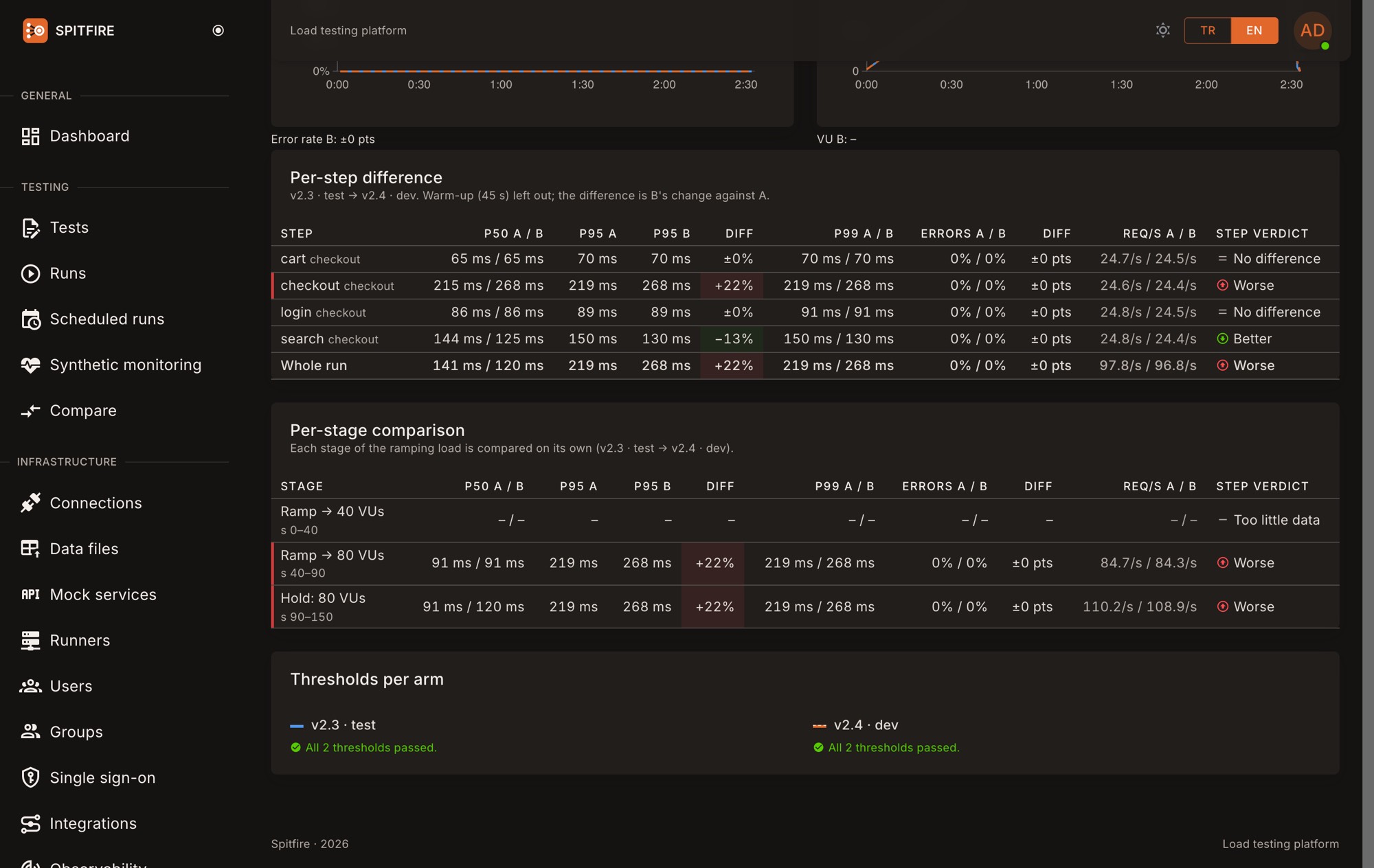
At the end, a step-by-step difference table and the verdict: better, no difference, or worse.
Like for like
A comparison means something only when both sides are measured under the same conditions.
Evenly split load
Every runner splits its virtual users evenly between the two arms, so a slowdown on the runner (CPU, network, GC) hits both alike. Load steps change on both arms at the same moment, and the location split is the same.
How to read the result
The comparison is per step: for each step both arms' p50, p95, p99, error rate and requests/s side by side, with the difference. The warm-up is left out of the comparison.
If the difference passes the acceptable threshold you set in the worsening direction the step is worse; in the improving direction, better; inside it, no difference.
If any step is worse, the verdict is worse. Spitfire states the difference and its numbers; it never claims an internal cause it cannot see.
Which plans
| Plan | Version comparison |
|---|---|
| Free | 1 a month |
| Project pass (30 days) | ✓ |
| Quarter (90 days) | ✓ |
| Growth yearly | ✓ |
| Enterprise yearly | ✓ |
In a comparison run the virtual user, requests/s and runner limits apply to both arms together: each arm uses half.