The Spitfire mobile app
You do not need to be at your desk while a run is going. The app shows the run second by second and stops it with one tap when something goes wrong. It shows a finished run's result, thresholds and findings and shares the report link. Android, free, in Turkish and English.
Coming soon to Google Play
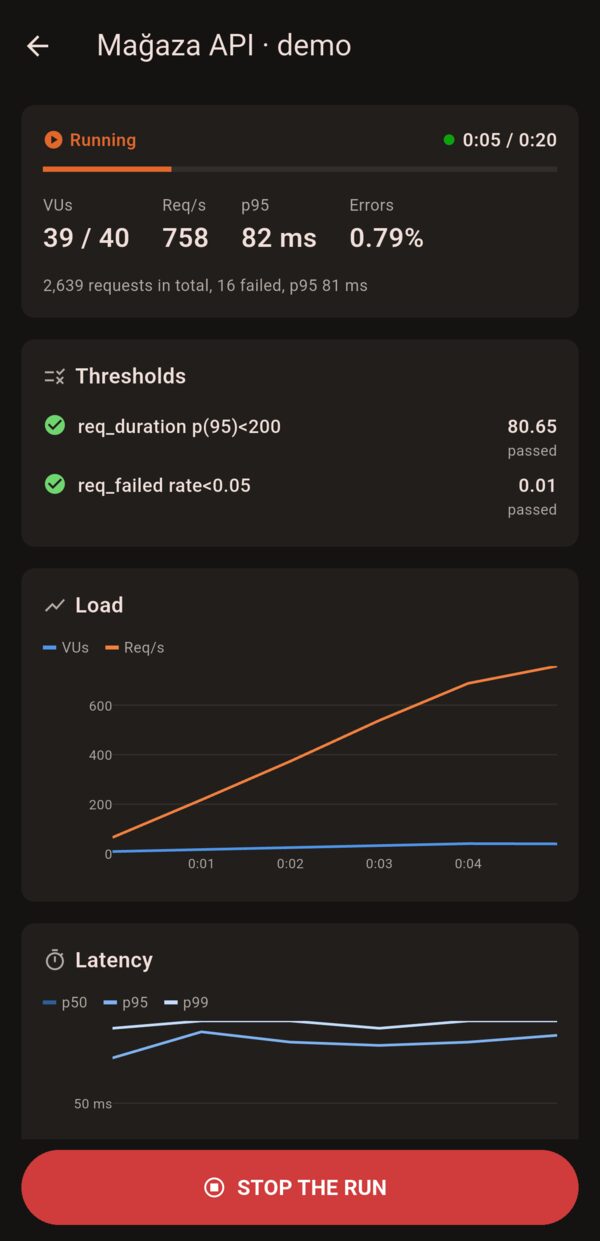
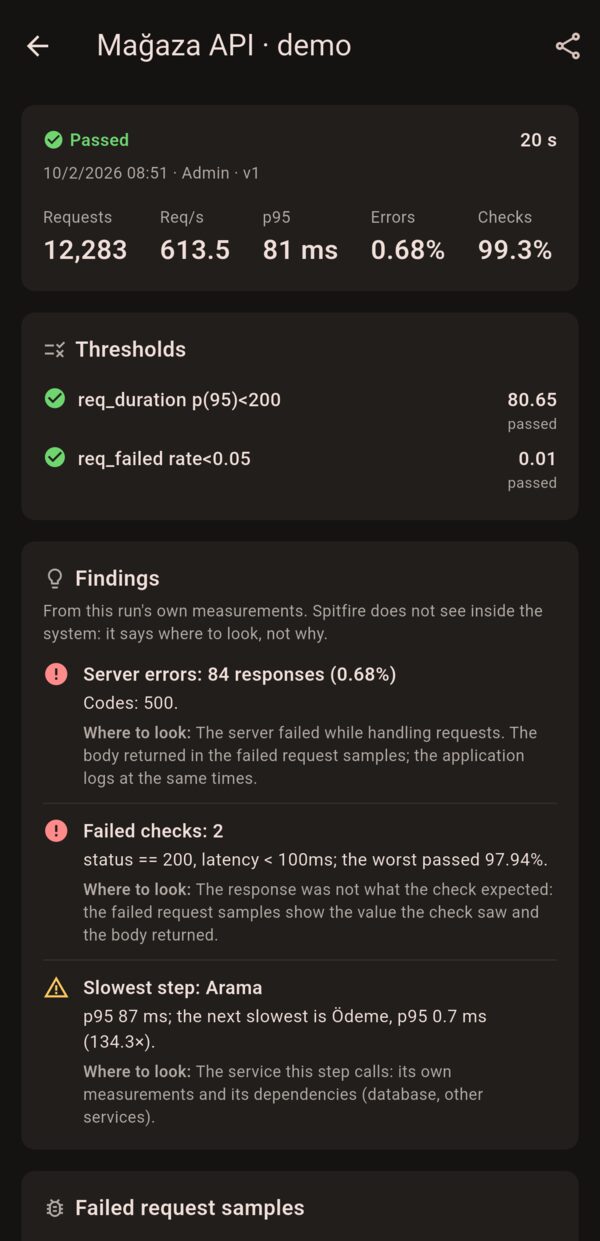
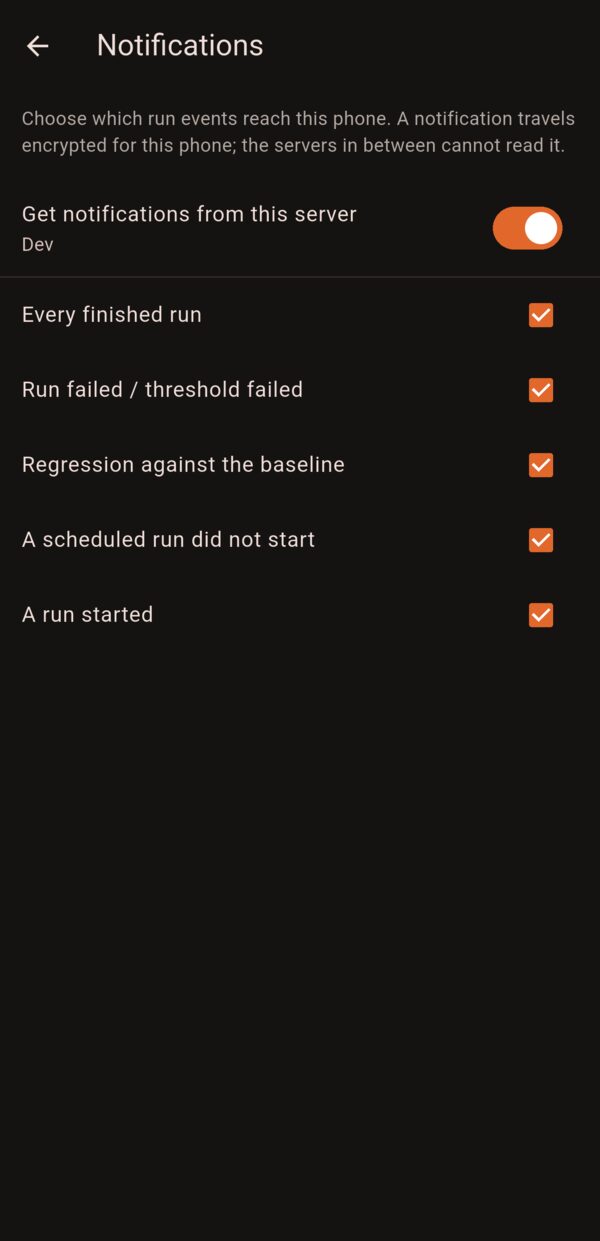
Real screenshots, dark theme.
What it does
- Live run: VUs, request rate, p95, error rate and thresholds; load and latency charts. The Stop the run button is always on screen.
- Starting tests: starts a saved test with an environment, a scale (×0.1–×2) and a location split. Tests with write operations show the list and ask for confirmation, as on the web.
- Results and findings: thresholds, findings and "where to look", failed request samples, the change against the baseline; sharing the report link.
- Notifications: a failed run or a broken threshold, a regression, a scheduled run that did not start, a run finishing or starting; you pick which. The content reaches your phone encrypted.
- Runners and schedules: which runners are connected, the next scheduled runs. You can add several installations (customers, environments) as separate servers.
Editing tests, imports, connections and admin screens stay in the web UI on purpose.
How it connects
The app connects straight to your Spitfire controller: enter its address and sign in with a password, LDAP or OIDC. The phone has to reach the controller (internal network, VPN or a published address). It needs Spitfire 0.5.17 or later; an admin turns notifications on under Mobile & Gate. In installations without internet access notifications come through a gate: installation guide.
Your tests, results and connection details never reach Spitfire. Details: mobile app privacy policy and security statement.